- An open redirect plus a SameSite=None cookie leaks the bot’s username.
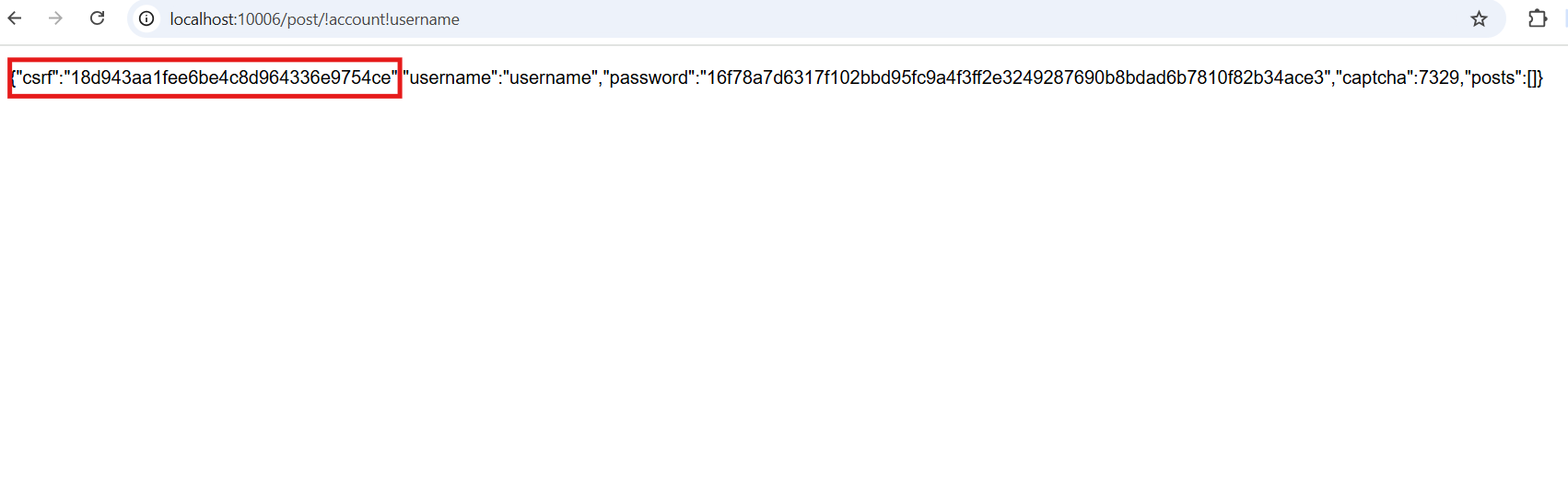
- Posts are stored in the root LevelDB, so /post/!account!username returns the bot’s CSRF token.
- An HTML injection and frame counting through window.top.length leak the flag.
Review
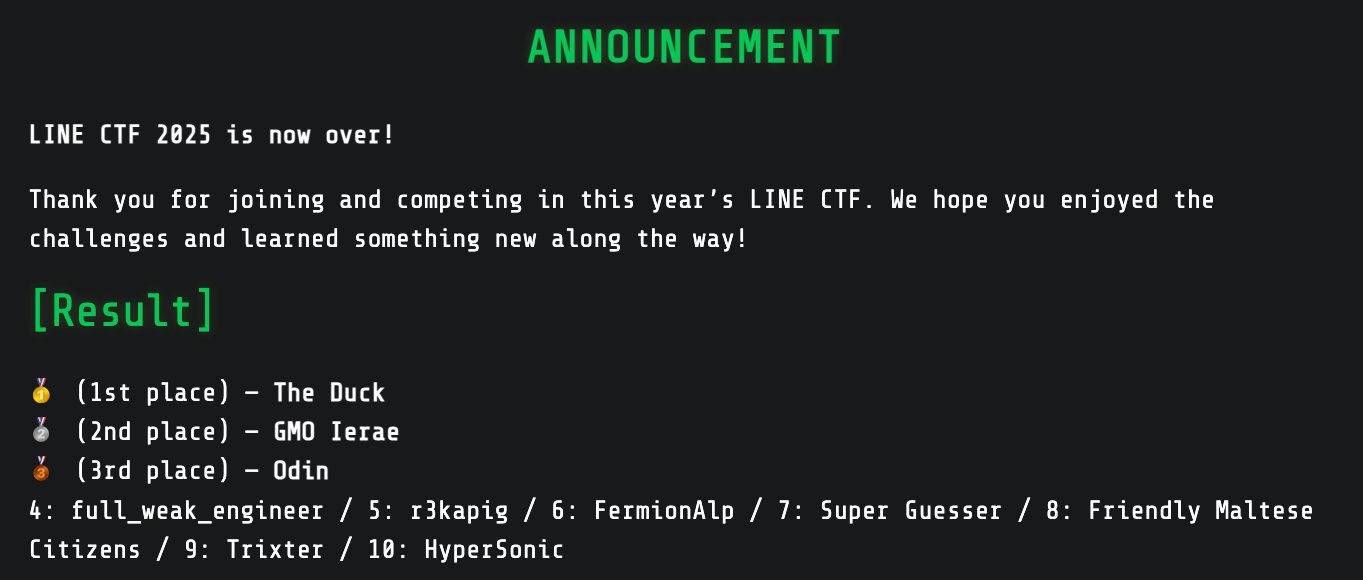
We (the Hypersonic team) finished LINE CTF 2025 in 10th place.
We didn’t have enough time to engage fully, since we played two CTFs back to back. Even so, every web challenge was great and fun to play.
I learned several new techniques, such as crlf chars are replaced to underscore.
The challenge
This challenge is revenge of Another secure store note (LINE CTF 2023)
Analysis
Bot’s behavior
The bot registers an account with ADMIN_USERNAME and ADMIN_PASSWORD, each with a random suffix, and then writes a post that contains the flag.
// Admin visiting your URL
async function visit(url) {
  console.log(`bot visits ${url}`);
  try {
    ...
    await page.goto(process.env.PAGE + '/register', { timeout: 3000, waitUntil: 'domcontentloaded' });
    await page.type('#username', process.env.ADMIN_USERNAME + '-' + rand());
    await page.type('#password', process.env.ADMIN_PASSWORD + '-' + rand());
    await page.click('#submit');
    await page.waitForNavigation();

    await page.evaluate(flag => {
      document.getElementById('content').value = flag;
      document.getElementById('form').submit();
    }, process.env.FLAG);
  }
  ...
}
Server’s behavior
app.use((req, res, next) => {
  const nonce = rand();
  res.locals = { nonce };
  res.set('X-Frame-Options', 'SAMEORIGIN');
  res.set('Cross-Origin-Opener-Policy', 'same-origin');
  res.set('Cross-Origin-Resource-Policy', 'same-origin');
  res.set('Content-Security-Policy', `script-src 'nonce-${nonce}'`);
  next();
});

...

app.use((req, res, next) => {
  function clean(obj) {
    if (!obj) return;
    for (const [key] of Object.entries(obj)) {
      if (obj[key].includes('\'')) return next('Hack detected');
      obj[key] = Buffer.from(obj[key], 'utf-8').toString('ascii');
    }
  }
  clean(req.body);
  clean(req.query);
  clean(req.params);
  next();
});

...

app.use('/register', require('./routes/register'));
app.use('/bot', require('./routes/bot'));
app.use('/', require('./routes/index'));
The Cross-Origin-Opener-Policy and Cross-Origin-Resource-Policy headers are set. A single quote is not allowed anywhere in req.body, req.query or req.params.
route.get("/", (req, res) => {
  res.render("register");
});

route.post("/", async (req, res) => {
  let next = req.query.next || "/";
  if (req.user) {
    return res.redirect(`${next}?msg=Already logged in ${req.user.username}`);
  }
  const { username, password } = req.body;
  if (
    !username ||
    !password ||
    typeof username !== "string" ||
    typeof password !== "string"
  )
    return res.redirect(`/register?msg=Invalid data`);
  let account = await get(dbAccount, username);
  if (account) account = JSON.parse(account);
  if (account && sha(password) !== account.password)
    return res.redirect(`/register?msg=Wrong password`);
  const id = rand();
  await dbSession.put(id, username);
  if (!account) {
    const csrf = rand();
    await dbAccount.put(
      username,
      JSON.stringify({
        csrf,
        username,
        password: sha(password),
        captcha: Math.floor(Math.random() * 9000 + 1000),
        posts: [],
      }),
    );
  }
  res.cookie("id", id, {
    maxAge: 1000 * 60 * 60,
    httpOnly: true,
    secure: true,
    sameSite: "none",
  });
  res.redirect(`${next}?msg=Successfully logged in`);
});
The /register endpoint handles both registration and sign-in.
- We can set
req.query.nextto any URL, which gives an open redirect. - The
idcookie is set withsameSite: 'none', so a cross-site POST request that carries the cookie is accepted.
Combining (1) and (2), we can leak the bot’s username.
The CSRF token is also weak. It is generated once at registration and never renewed.
dbAccount and get() come from db.js.
const path = require("path");
const { Level } = require("level");

const db = new Level(path.join(__dirname, "database", process.env.NODE_ENV));

const dbPost = db.sublevel("posts");
const dbAccount = db.sublevel("account");
const dbSession = db.sublevel("session");

async function get(db, key) {
  try {
    return await db.get(key);
  } catch {
    return null;
  }
}
db.sublevel() behaves in an interesting way: it prepends the prefix !sublevel_name! to every key. For example, dbAccount.put("username", {}) is stored as !account!username={} in the real database files (database/production/*.ldb).
The root db can reach any sublevel by writing that prefix directly, as in get(db, "!account!username").
route.get("/", async (req, res) => {
  const search = req.query.s || "";
  const posts = [];
  for (let i = 0; i < req.user.posts.length; ++i) {
    const id = req.user.posts[i];
    const content = await get(db, id);
    if (content.toString().includes(search)) posts.push(id);
  }
  res.render("index", { user: { ...req.user, posts } });
});

route.post("/", async (req, res) => {
  const { csrf, content } = req.body;
  if (csrf !== req.user.csrf) return res.redirect(`/?msg=Hack detected`);
  if (!content || typeof content !== "string")
    return res.redirect(`/?msg=Invalid data`);
  const id = rand();
  await db.put(id, content);
  req.user.posts.push(id);
  console.log({ id, content });
  await dbAccount.put(req.user.username, JSON.stringify(req.user));
  res.redirect("/?msg=Successfully added new post");
});

route.get("/post/:id", async (req, res) => {
  const { id } = req.params;
  if (!id || typeof id !== "string") return res.send("Invalid data");
  let content = (await get(db, id)) || "";
  if (content.length > 200) content = content.slice(0, 200) + "...";
  res.render("post", { content });
});
The / endpoint returns every post that contains req.query.s and renders views/index.ejs.
<script nonce="<%- nonce %>">
  window.user = <%- JSON.stringify(user) %>;
  window.onload = async () => {
    ...
    const { posts } = window.user;
    const root = document.getElementById('root');
    for (let i = 0; i < posts.length; ++i) {
      const id = posts[i];
      const ifr = document.createElement('iframe');
      ifr.src = `/post/${id}`;
      root.appendChild(ifr);
    }
  }
</script>
index.ejs loads each post in an iframe. That allows frame counting, which uses window.length as an oracle for XS-Leaks.
Because of the COOP header, we can put <iframe src="ATTACKER_SERVER"> into a post and read window.top.length from there. To write a post, we have to send a POST request to / with the csrf token.
<meta charset="ascii" />
<link rel="stylesheet" href="/static/post.css" />
<input value="<%- content %>" />
/post/:id returns a post to anyone who knows its ID. It never checks that the post belongs to the user.
clean() blocks single quotes, so the usual trick of breaking out of the attribute is not available. Non-ASCII characters get around it, for example ȧ><h1>123</h1>, which gives us HTML injection.
The code also reads and writes posts through db instead of dbPost. With the bot’s leaked username we can therefore read its CSRF token from /post/!account!username. This is similar to well-known Redis vulnerabilities.
Solution
- Leak the bot’s username with the open redirect.
- Leak the CSRF token by reading
!account![username]through/post/:id. - Inject HTML, then run frame counting through
window.top.length.
Exploit
0xp1ain helped me write the exploit. I will post a cleaner PoC later.
Special thanks
Thanks to An Pham (phvietan) for creating this challenge.